
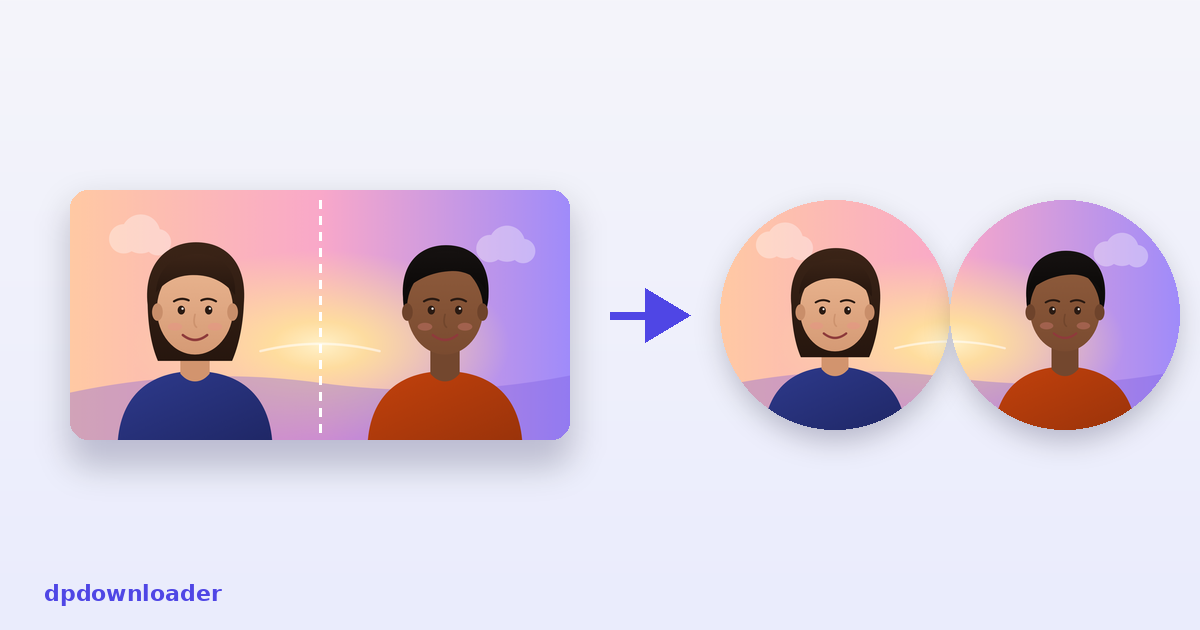
What matching profile pictures are
Matching PFPs are pictures that belong together. The most popular kind is a single photo split down the middle: one person uses the left half, the other uses the right, and when your profiles appear next to each other in a chat, a follower list or a comment thread, the photo joins up again. Couples use them, best friends use them, and groups of three do too.
The split has to be exact for the trick to work. Cut by hand in a phone editor, the halves rarely line up, and each half usually needs its face moved into the middle of the circle as well. This tool cuts the photo into equal squares in one go, shows you the circles while you position it, and exports pieces that line up perfectly.
Choosing the photo
A landscape photo with the people standing or sitting side by side works best. Two things make the difference:
- Space between the faces. Each face should sit near the middle of its own half. If two people are pressed cheek to cheek, one of the faces will be cut in two.
- Something that crosses the line. A shared background, linked hands or a sunset across both halves is what makes the pieces read as one picture when they appear together.
Zoom out if somebody is close to the edge. Any empty space that appears is filled with a soft blurred copy of the photo, so the pieces never get hard white strips.
Two or three pieces
Two pieces is the classic couple or best friend split. Three works for a group, though each piece then covers a narrower part of the photo, so you need a wider picture with the three people spread evenly across it.
Check them side by side
The preview panel shows the pieces as round profile pictures next to each other, on light and dark screens, plus each one as it looks beside a post. That is the real test: if the photo still makes sense as small circles side by side, it will work on every platform.
Add a matching ring
A thin ring in the same colour on every piece makes the set obvious even when the profiles are not next to each other. White works on almost any feed. A bold colour you both like works too.
Sizes and file types
Every piece is saved as a square at the size you choose, with Instagram's 1080 as the default. If you plan to use the set on different platforms, export at the largest size you need; every platform shrinks a large square cleanly. JPG keeps the files small, PNG keeps every pixel.
Your photo stays with you
Couple photos are personal, so it matters that this tool never uploads them. The split happens inside your browser and the files are created on your device. Nothing reaches our server.
 Instagram
 TikTok
 YouTube
 Roblox
 X
X Telegram
 Pinterest
 Twitch
 Kick
Kick GitHub